Request Editor
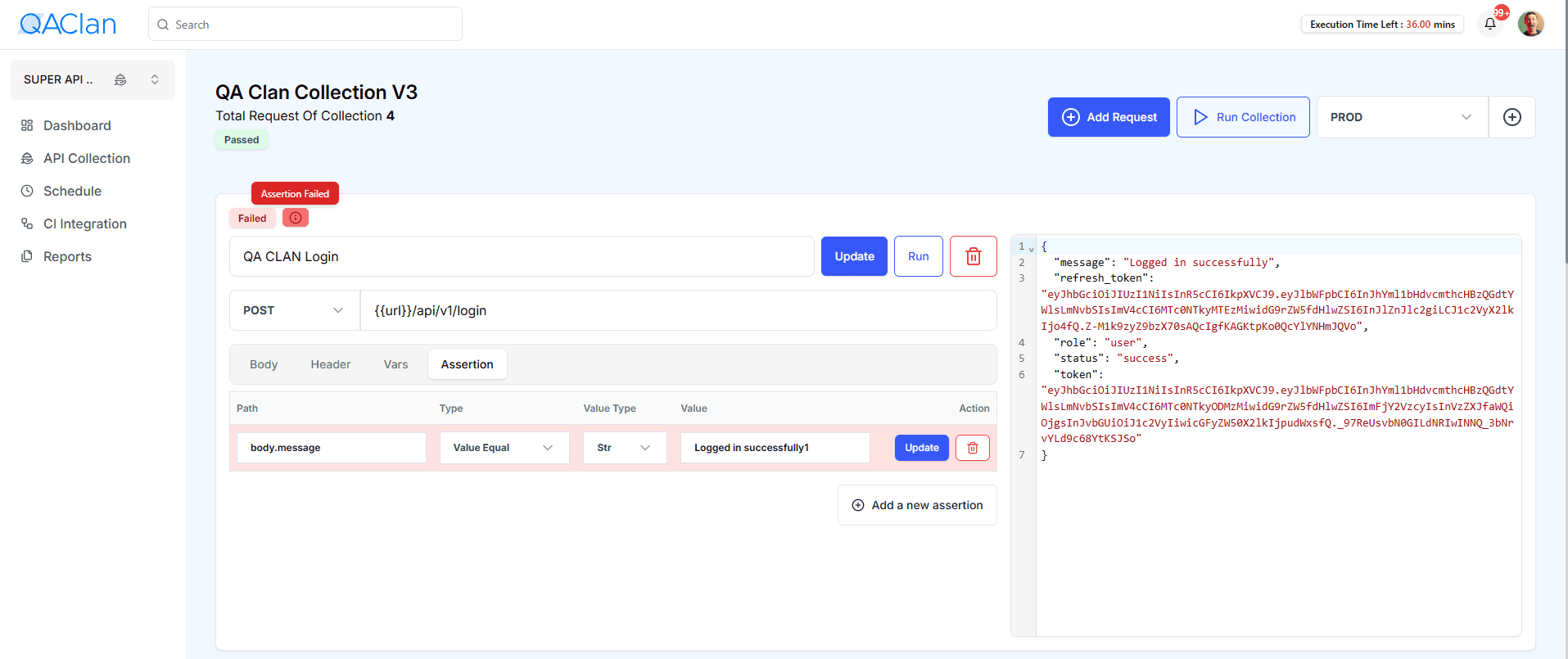
Each request has four tabs:
-
Body
- Payload for POST/PUT, in JSON or form-data.
-
Header
-
Define static headers (e.g.
Content-Type: application/json) or inject dynamic values from your environment using mustache syntax:Authorization: Bearer {{token}} X-Custom-ID: { { userId } } -
When you run the request,
{{token}}and{{userId}}are replaced with whatever you’ve defined in your Environment variables.
-
-
Vars
-
Extract values from the response and save them into environment variables for reuse in subsequent requests.
-
For example, after your Login request returns:
{
  "message": "Logged in successfully",
  "token": "eyJhbGciOiJIUzI1NiIsInR5cCI6IkpXVCJ9..."
}
you would capture the token like this:
# Capture the login token from the response body token: body.token -
Once defined, you can reference
{{token}}in later requests—for instance in your All Page GET:Authorization: Bearer {{token}}
-
-
Assertion
-
Define checks against the response to validate success.
-
Examples:
JSONPath assertion:
Path: body.message
Type: Value Equal
Value: "Logged in successfully"
Header assertion:
Path: header['Content-Type'] Type: Value Contains Value: "application/json" -
Failure behavior
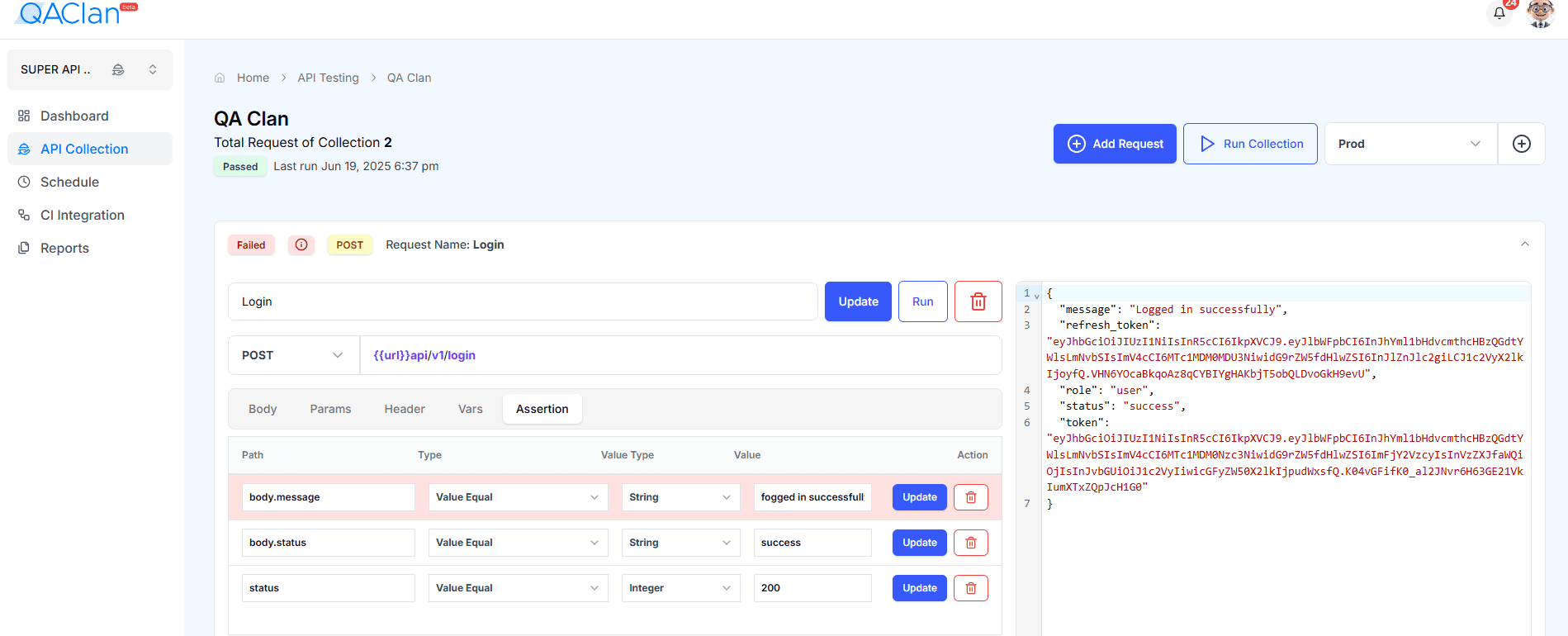
If any assertion fails:- The individual request panel turns red and shows a ❌ icon.
- A “Failed” badge appears at the top of the request.
- The Run Collection summary is marked Failed, and subsequent requests (if any) will not run.
-
By catching these failures early, you can immediately see which request and which assertion didn’t pass, and then drill in to correct the expectations or the API itself.
-